Grok Bot reaches Cursor Enterprise — the important change is the control plane, not a new model
SpaceXAI opened Grok Bot to Grok and Cursor Enterprise customers on September 3, 2026, with two weeks of free usage. Enterprise rollout still requires concrete SSO, network, audit, and data-boundary work.
SpaceXAI announced Grok Bot for Enterprise on September 3, 2026. Grok and Cursor Enterprise customers receive free usage for two weeks and can invite people without seats. This is an enterprise rollout of a persistent cloud-agent product, not a new Grok model. (Source: SpaceXAI announcement, 2026-09-03)
Key facts:
- The free Enterprise window lasts two weeks. The announcement does not publish a post-promo price.
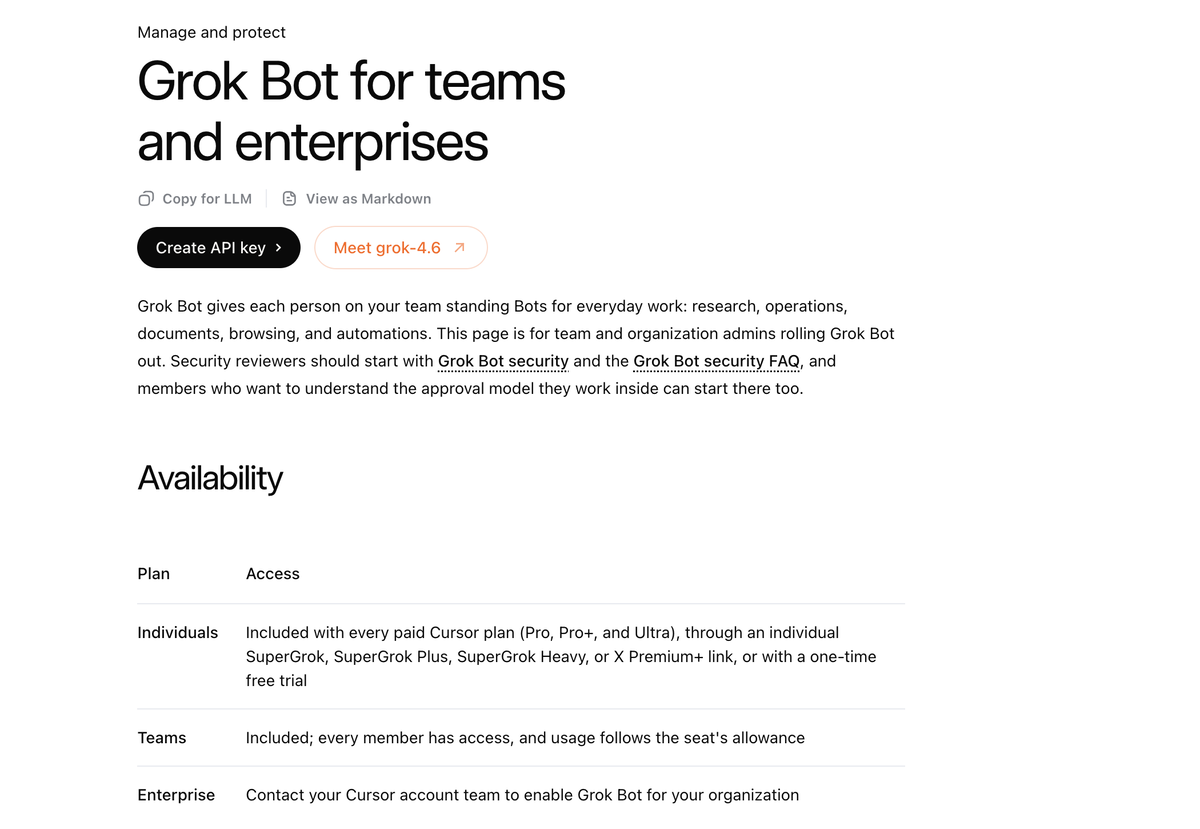
- Each member receives one dedicated cloud computer. That computer is a managed Linux VM; that member’s Bots share its files, sign-in sessions, and permissions. (Source: Grok Bot teams and enterprises docs, retrieved 2026-09-04)
- Enterprise availability is rolling out, not self-serve GA. The admin guide says to contact the Cursor account team to enable it.
- Audit Logs, Action Recording, and OpenTelemetry Export are Enterprise-only controls. Action Recording is off by default. (Source: Grok Bot security FAQ, updated 2026-09-03)
- There is no Cursor-operated VPN or private link. Private-network access is a customer-run setup such as a networking client installed through Enterprise Team Setup. (Source: Private networks docs, retrieved 2026-09-04)
What this means if you’re building with Grok Build
1. Treat the Bot computer as a user workspace, not a disposable sandbox. A Bot starts with no access and can reach only accounts that a member signs into. But all of that member’s Bots share one computer. Put separate trust zones — production, staging, or clients — behind separate Cursor users rather than assuming each Bot gets a separate credential boundary.
2. Make identity and egress the first pilot check. Grok Bot reuses Cursor SSO and team membership. The official identity guide says Enterprise SCIM deprovisioning removes a departing user from Cursor automatically, but users also need their existing IdP app assignment. If internal Git, databases, or staging live behind a private network, validate the Linux-compatible networking client and your destination allowlist before giving a Bot an overnight engineering task.
3. Do not mistake an allowlist for complete action enforcement. The Enterprise team-model allowlist is not guaranteed to be followed. Auto Review can evaluate shell commands, plugin calls, computer use, automation writes, and delegation, but not every side effect. For a first rollout, use narrowly scoped service accounts, set an approval path for writes, and stream Enterprise telemetry before expanding access.
4. Use the two-week window to measure one bounded workflow. A good first task is a PR-watch loop: read CI failures, collect security findings, and prepare a reviewable summary. Do not give the same pilot an unrestricted production credential. The announcement describes Bots monitoring PRs, failing builds, merge conflicts, and security findings; the value for an engineering team is not a chat response, but a traceable handoff that stops for review.
For the interactive app-building side, start with How to use Grok Build and the Grok Build CLI guide. Grok Bot adds a governed, persistent worker surface; it does not replace the build-and-review loop those guides cover.
Sources: SpaceXAI — Grok Bot for Enterprise (2026-09-03) · SpaceXAI Docs — Grok Bot for teams and enterprises (retrieved 2026-09-04) · SpaceXAI Docs — Configure identity and access (retrieved 2026-09-04) · SpaceXAI Docs — Grok Bot security FAQ (updated 2026-09-03) · SpaceXAI Docs — Connect to private networks (retrieved 2026-09-04)
Source: SpaceXAI