Grok Build 1.0.40 adds Grok 4.7 — pin the model before you compare coding-agent runs
xAI's September 20 Grok Build 1.0.40 changelog says Grok 4.7 has arrived. The practical change for builders is availability, not a promise that every old session used the new model: check and pin the model configuration before comparing agent runs.
xAI lists Grok Build 1.0.40 as its latest release, dated September 20, 2026. Its entire release note is short: “Grok 4.7 has arrived!” (Source: xAI Grok Build changelog, September 20, 2026)
Key facts:
- Grok Build 1.0.40 is the release that announces Grok 4.7 in the coding agent. (Source: xAI changelog)
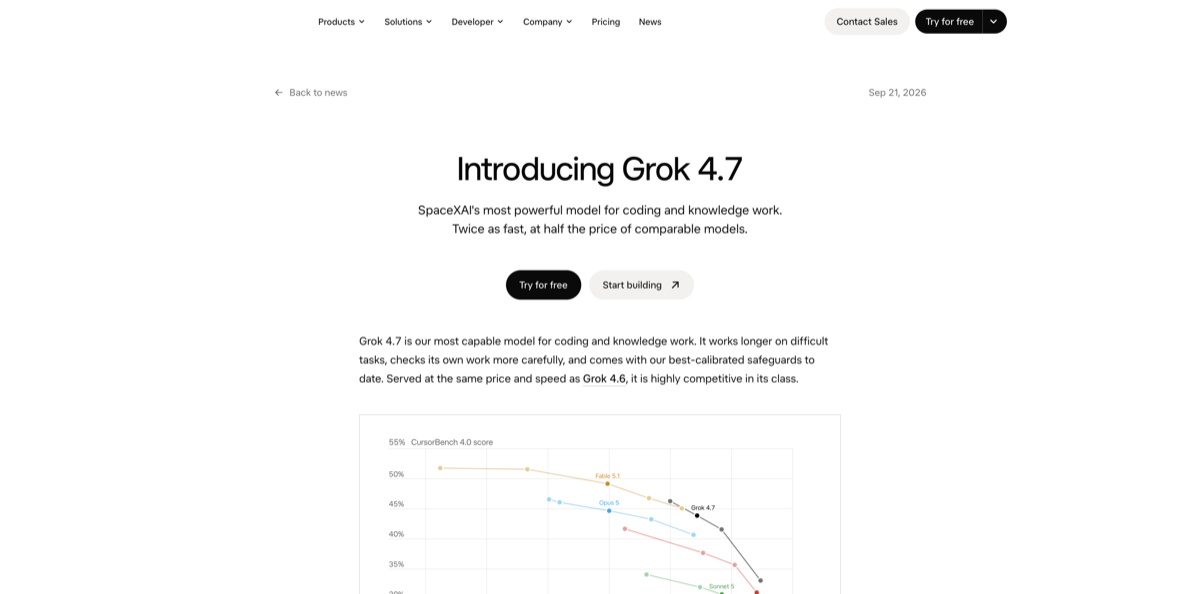
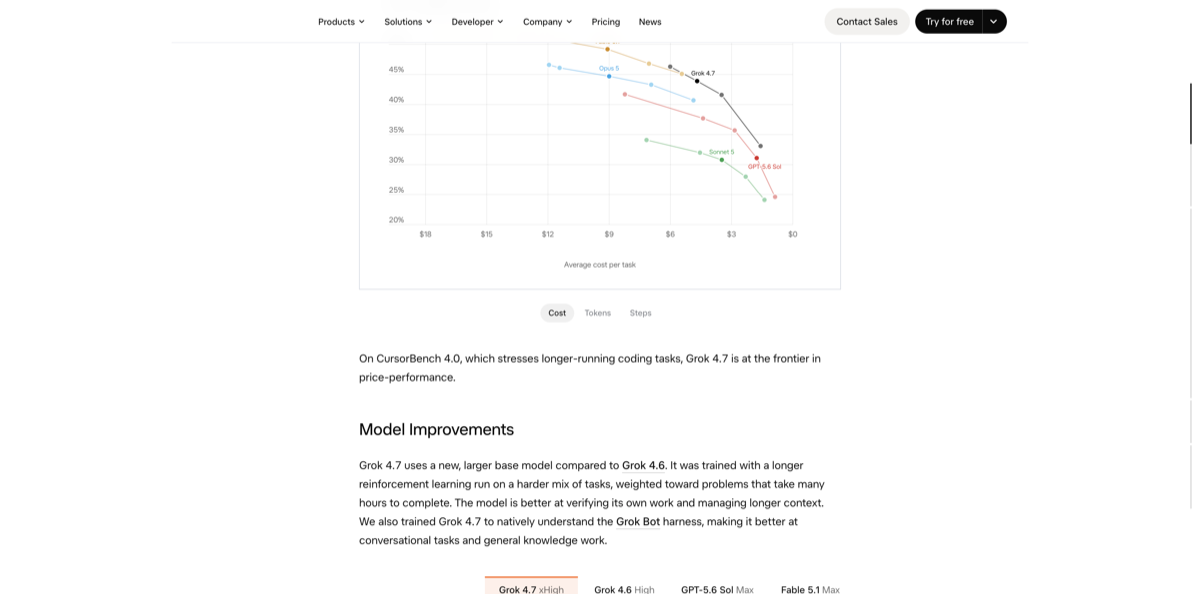
- Grok 4.7 is available in Grok Build and Cursor, as well as the xAI API. (Source: xAI’s Grok 4.7 announcement, September 21, 2026)
- The API model ID is
grok-4.7. (Source: xAI model documentation) - The model has a 500,000-token context window. (Source: xAI model documentation)
- Below 200K prompt tokens, API pricing is $2.00 per million input tokens, $0.50 cached input tokens, and $6.00 output tokens. (Source: xAI release notes, September 21, 2026)
The builder-relevant detail is not simply “update the CLI.” A Grok Build upgrade makes the new model available; it does not by itself make an old benchmark, CI log, or long-running session reproducible. Record the CLI version, model ID, reasoning effort, and prompt context alongside any result you plan to compare. xAI documents four reasoning efforts for grok-4.7: low, medium, high, and xhigh. (Source: xAI model documentation)
What this means if you build with Grok Build
First, update and inspect rather than assuming the selected model. xAI’s settings docs put user configuration in ~/.grok/config.toml and recommend grok inspect to show the configuration sources, instructions, skills, plugins, hooks, and MCP servers discovered for the current directory. That is the useful preflight check before you treat two agent runs as an A/B test. (Source: xAI Grok Build settings)
Second, pin a named model for a workflow that needs repeatability. The official configuration example identifies grok-4.7 as the API model ID, and the overview documents selecting a configured model in headless mode with -m. Do not replace a project’s default model blindly: first run grok inspect, then make a deliberate model choice in the TUI or command invocation. (Source: xAI Grok Build overview)
The availability announcement is also not a reason to turn off normal guardrails. The model page says Grok 4.7 supports function calling and structured outputs; those capabilities amplify the effect of a mistaken model or permission configuration. Keep permission rules and project instructions versioned, and use a fixed benchmark task before moving a production automation to the newly available model.
For the setup and inspection commands, see our Grok Build guide and Grok Build CLI handbook. If you have already adopted its persistent notes, the earlier Grok Build Memory release explains why Memory should hold durable conventions rather than task state.
Sources
- xAI — Grok Build changelog (September 20, 2026)
- xAI — Introducing Grok 4.7 (September 21, 2026)
- xAI Docs — Grok 4.7 model reference
- xAI Docs — Grok Build settings
- xAI Docs — Grok 4.7 release notes (September 21, 2026)
Source: xAI (official changelog)