OpenAI's Lockdown Mode: what it actually blocks against prompt injection (and what it doesn't)
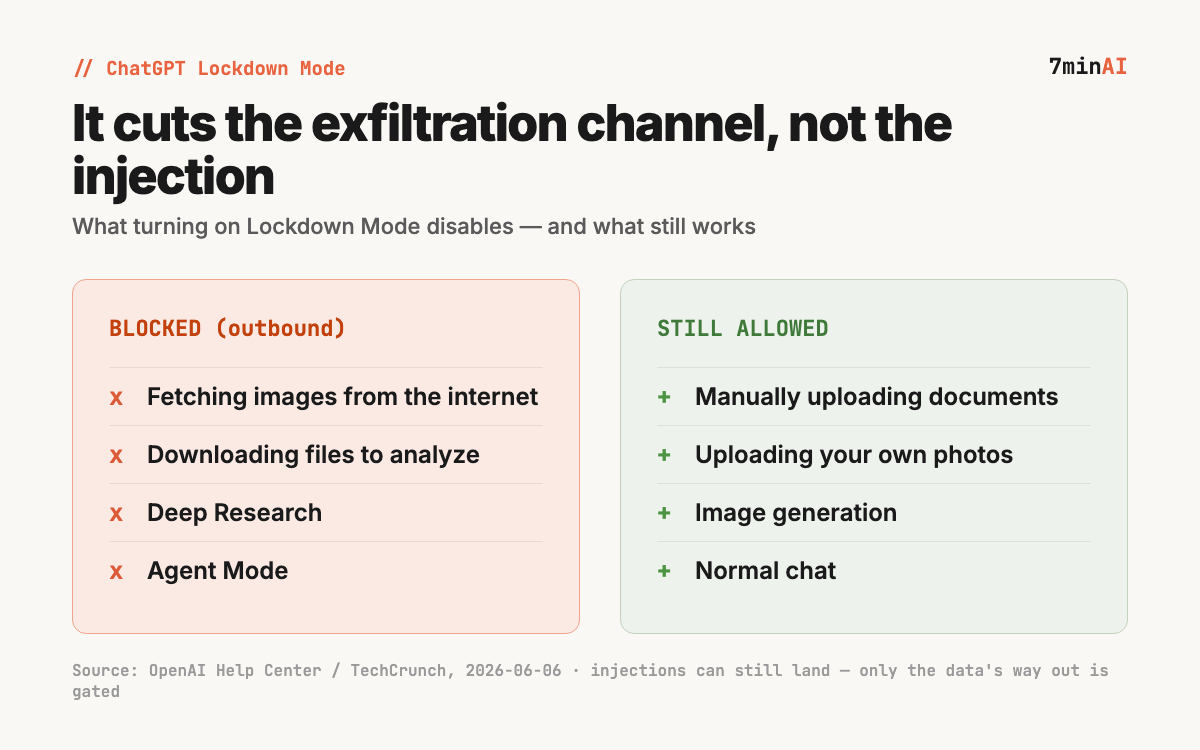
On June 6, 2026, OpenAI rolled out Lockdown Mode for ChatGPT — an opt-in setting that fights prompt-injection data theft by cutting the exfiltration channel, not the injection itself. It disables internet image fetches, file downloads, Deep Research, and Agent Mode. Here's the trade-off, and the limitation OpenAI states plainly.
OpenAI began rolling out Lockdown Mode for ChatGPT on June 6, 2026 — an opt-in security setting for people and teams who handle sensitive data and want stricter protection against prompt-injection attacks. (Source: OpenAI Help Center, 2026-06-06) The design choice is the interesting part for builders: it doesn’t try to stop the injection, it cuts off the exfiltration channel the injection would use to get your data out.
Key facts:
- Lockdown Mode targets the final stage of a prompt-injection attack: it limits outbound network requests that could ship sensitive data to an attacker. (Source: OpenAI Help Center, 2026-06-06)
- With it on, ChatGPT won’t pull images from the internet or display images in a response, and can’t download files to analyze (you can still manually upload). (Source: TechCrunch, 2026-06-06)
- Deep Research and Agent Mode are disabled entirely while Lockdown Mode is active. (Source: TechCrunch, 2026-06-06)
- It is opt-in, rolling out to self-serve ChatGPT Business accounts and eligible personal accounts. (Source: OpenAI Help Center, 2026-06-06)
- OpenAI states plainly that it does not prevent prompt injections from appearing in content ChatGPT processes — a malicious instruction in cached web content or an uploaded file can still affect a response. (Source: OpenAI Help Center, 2026-06-06)
The threat model it’s built around
A prompt-injection attack usually has two stages: a malicious instruction gets into the model’s context (from a web page, a document, an email), and then the model is steered into sending your data somewhere — typically by fetching a URL that smuggles the data out in the query string, or rendering an image whose address encodes it.
Lockdown Mode attacks the second stage. By refusing to fetch internet images, render remote images, or download files, it removes the most common outbound paths an injected instruction would use. That’s why the disabled features are specifically the ones that touch the network: image fetches, file downloads, Deep Research, Agent Mode.
What it doesn’t do — and why that matters
The limitation is stated by OpenAI itself: Lockdown Mode does not stop prompt injections from landing. (Source: OpenAI Help Center, 2026-06-06) A poisoned instruction can still sit in a file you upload or a page in the model’s context and skew the answer you get. What changes is that it becomes much harder for that instruction to phone home with your data.
For builders, that’s the honest framing: this is a blast-radius control, not a cure. It’s the same shape of problem behind Microsoft Copilot’s file-exfiltration issue and the reason Anthropic shipped an open-source vulnerability-discovery harness — the industry is converging on “assume injection happens, limit what it can do” rather than “prevent every injection.”
If you’re piping untrusted content through an agent, the takeaway isn’t “turn on Lockdown Mode and relax.” It’s that outbound network access is the thing worth gating — in ChatGPT now, and in your own agent stacks by the same logic.
Sources
- Lockdown Mode — OpenAI Help Center, 2026-06-06
- OpenAI unveils Lockdown Mode to protect sensitive data from prompt injection attacks — TechCrunch, 2026-06-06
- OpenAI rolls out a Lockdown Mode for extra protection against prompt injection attacks — Engadget, 2026-06-06
Source: OpenAI Help Center